
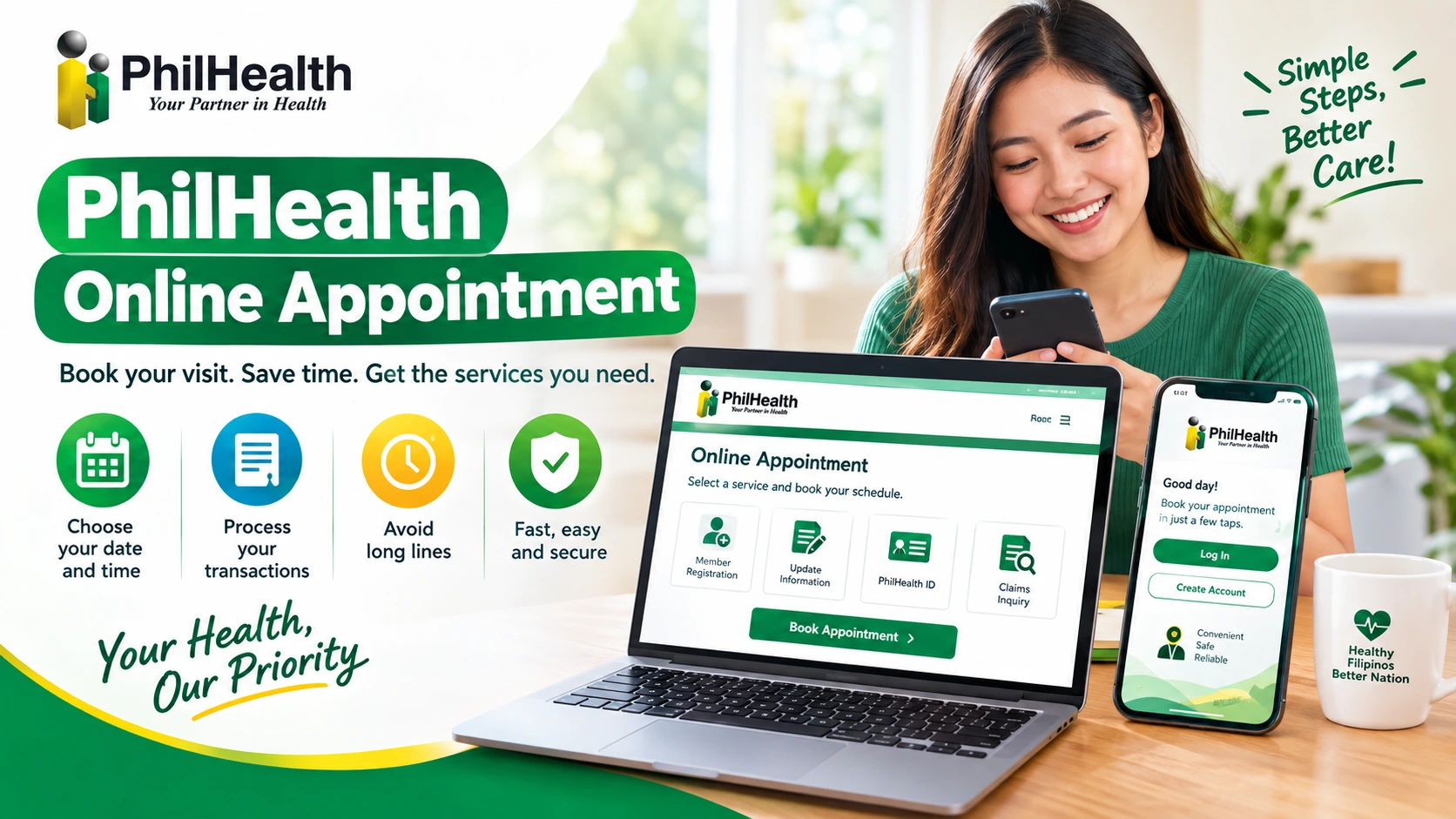
PhilHealth Online Appointment 2026
Need to visit a PhilHealth office? Booking an appointment can help you avoid long lines and save time. But the booking process can be confusing if you do not know where to start.
PhilHealth does not have one appointment system for every branch. The process may be different depending on the office you need to visit.
This guide fixes that. You will learn how a PhilHealth online appointment really works, who needs one, and who can skip it. You will also learn what to bring and how to spot scams. Some services you think need a booking do not. We will show you which ones in a moment.
What Is a PhilHealth Online Appointment?
A PhilHealth online appointment is a way to schedule your visit before going to a PhilHealth office. You can choose an available date and time for the service you need, helping you avoid unnecessary waiting.
Purpose and Services
How It Works
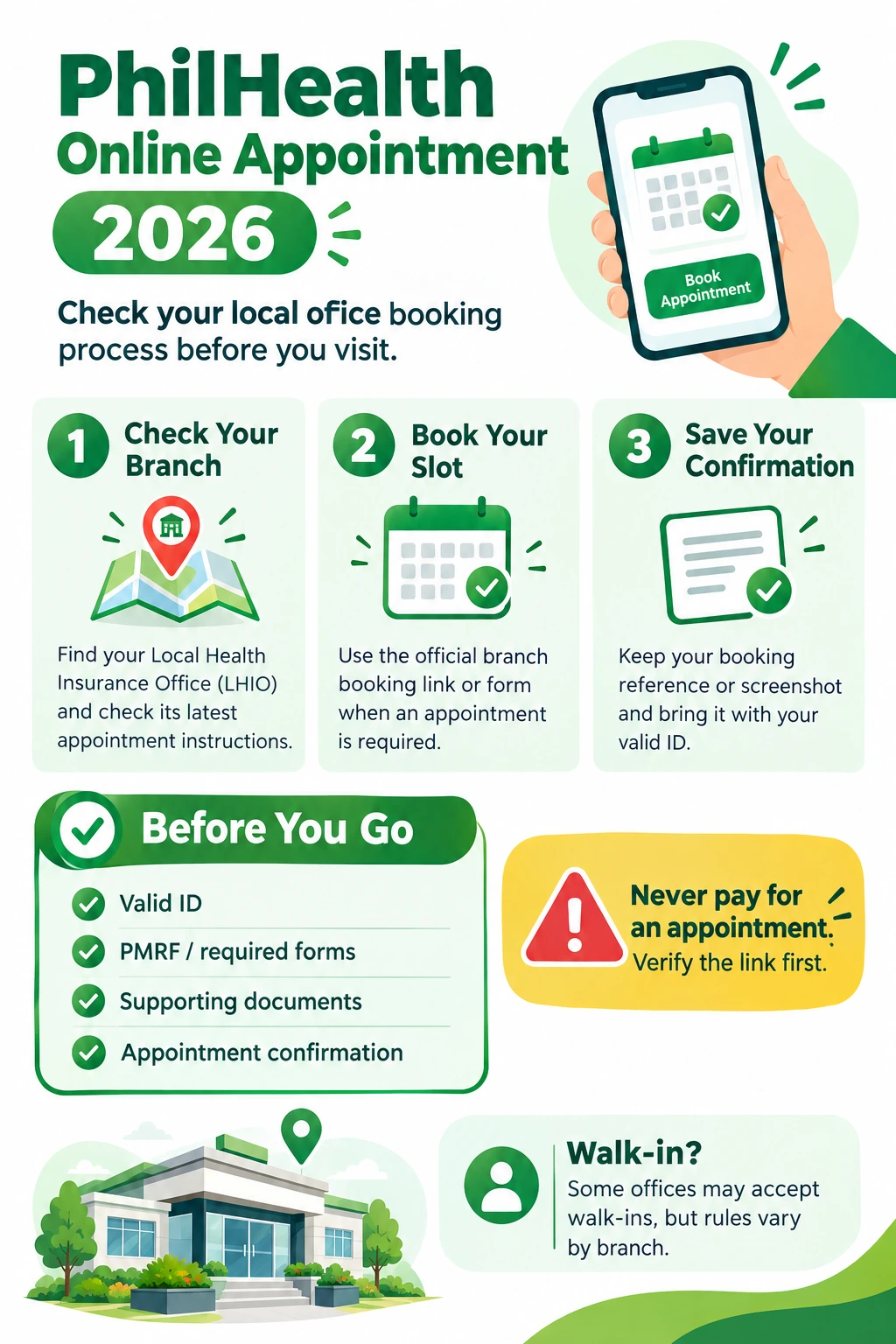
- Find the booking option: Check the official PhilHealth website or your local branch for its appointment system.
- Choose your service: Select the transaction you need and pick an available date and time.
- Save your confirmation: Keep a screenshot, email, or printed copy of your appointment details.
What to Bring
How a PhilHealth Online Appointment Works Today
PhilHealth now uses a hybrid model. Many tasks, like online registration, can be done from home. A branch visit is for tasks that need papers or a person.
In 2021, PhilHealth Regional Office 10 launched a virtual front desk. Members could meet staff by Zoom, Google Meet, or Messenger on an appointment basis.
Where Can You Book a PhilHealth Online Appointment?
|
Office Type |
What It Means |
How Booking Usually Works |
|---|---|---|
|
LHIO (Local Health Insurance Office) |
Your local PhilHealth branch |
May use a booking page, Google Form, or Facebook link |
|
Express Outlet |
A smaller service desk, often located in a mall |
Many accept walk-ins |
|
Regional Office |
Handles PhilHealth services across a region |
May have its own appointment process |
Who Needs a PhilHealth Online Appointment (and Who Doesn’t)?
Not every PhilHealth service needs an appointment. Some tasks can be done online, while others may require a visit to a branch.
Quick Decision Table
|
Your Task |
Need a PhilHealth Online Appointment? |
Faster Option |
|---|---|---|
|
New registration (PIN) |
Usually no |
eGovPH app or Member Portal |
|
Check contributions or print MDR |
No |
Member Portal |
|
Update address or contact number |
Usually no |
Member Portal |
|
Name or civil status change |
Often yes |
Ask your local office first |
|
PhilHealth ID card |
Varies by branch |
Call the hotline to confirm |
|
Employer or bulk transactions |
Often yes |
LHIO covering your company |
|
Lost PIN |
No |
eGovPH app, Member Portal, or hotline |
You May Need an Appointment If…
You May Not Need an Appointment If…
Many simple tasks can be done online through the PhilHealth Member Portal. You may be able to:
Always check your local branch rules before visiting, as appointment requirements can vary.
Read Also: PhilHealth ID Requirements.
What About Your Situation?
New members
Register online first. You do not need a PhilHealth online appointment for this. By law, all Filipinos are automatically included in the National Health Insurance Program. Registering is how you get a PIN and a record in the database. It is free.
Existing members
Log in to the Member Portal before you book a PhilHealth online appointment.
Employees
Check with your HR team first. Employees most often book a PhilHealth online appointment for contribution concerns, dependent updates, and MDR corrections.
PhilHealth Online Registration for a New Employee
A new employee can register with PhilHealth online without visiting a branch right away. The process usually starts with creating or updating your PhilHealth membership record.
How to Register
- Prepare your details – Have your personal information, valid ID, and employment details ready.
- Open the official PhilHealth online service – Use the official PhilHealth website or Member Portal.
- Create or update your account – Enter your required personal and contact information.
- Submit the required details – Check everything carefully before sending your application.
- Get your PhilHealth number – Save your PhilHealth Identification Number (PIN) and keep your registration details for your employer.
What You May Need
Important: If you already have a PhilHealth number, do not create a second membership. Give your existing PIN to your new employer so your contributions stay under the correct record.
How to Book a PhilHealth Online Appointment
Follow these simple steps to book your appointment in an easy way.
Step 1: Check the Official PhilHealth Website
Go to the online appointment page and choose the service you need, such as registration, updating your details, or getting a PhilHealth ID.
Step 2: Check Your Branch Appointment Process
PhilHealth does not provide one universal appointment form for every branch. Check your local PhilHealth office or regional office for its current booking instructions.
Step 3: Choose Your Service
Select the service you need, such as:
Step 4: Enter Your Details
Provide the information requested by the branch’s appointment system. This may include your name, contact details, PhilHealth number, and the service you need.
Step 5: Select a Date and Time
Choose an available appointment date and time. If your preferred slot is unavailable, check another date or a nearby PhilHealth office.
Pro Tip: If you can, avoid Mondays and payday weeks.
Step 6: Review and Submit
Carefully check your name, PhilHealth number, contact information, branch, and appointment details before submitting the booking.
Step 7: Save Your Confirmation
Take a screenshot of your PhilHealth online appointment confirmation or print it if possible. It should show your date, time, and branch. Bring it on the day of your visit.
Pro Tip: Use an email and phone number you check often. That way you will not miss any updates.
Required Documents Before Appointment
Prepare these documents before visiting the PhilHealth office:
Why Your Papers Matter at a PhilHealth Online Appointment
This is more than a hassle. If your Member Data Record (MDR) is missing a dependent’s name, a hospital can deny coverage for that person. So the right documents protect your family, not just your time.
Sending Someone to Your PhilHealth Online Appointment?
You can send a trusted representative. They will need an authorization letter and valid IDs for both of you.
Pro Tips:
PhilHealth Trece Online Appointment
Need to visit the PhilHealth Trece Martires office? It is best to check the appointment process before going, especially if your transaction requires a branch visit.
The PhilHealth LHIO Trece Martires City is located at One FS Building, Governor’s Drive, Brgy. Hugo-Perez, Trece Martires City, Cavite. The official directory lists its office hours as Monday to Friday, 8:00 AM to 5:00 PM.
How to Book a PhilHealth Trece Appointment
- Check the official PhilHealth website.
Visit the official PhilHealth online services page and check whether your transaction can be completed online first. - Confirm the Trece Martires booking process.
Appointment procedures can vary by office. Contact the Trece Martires LHIO to confirm whether your service needs an appointment and how to book. - Prepare your documents.
Bring your valid ID, PhilHealth number or PMRF, appointment confirmation, and any documents required for your transaction. - Save your appointment details.
Keep a screenshot or printed copy of your confirmation so you have the schedule ready when you visit.
PhilHealth Trece Martires Contact Details
PhilHealth Calamba Online Appointment
If you need to visit the PhilHealth Calamba office, check the appointment requirements before going. The official PhilHealth directory lists the Calamba Local Health Insurance Office (LHIO) at Ground Floor, CMC Annex Building, Crossing National Highway, Brgy. Real, Calamba City, Laguna.
How to Book a PhilHealth Calamba Appointment
- Check the official PhilHealth website.
Start with PhilHealth’s official online services and check whether your transaction can be completed online. - Confirm the Calamba office process.
Appointment procedures can vary by office. Contact the Calamba LHIO to confirm whether your transaction requires a booking and how to schedule it. - Prepare your documents.
Bring your valid ID, PhilHealth number or PMRF, and any supporting documents needed for your transaction. - Save your appointment details.
Keep a screenshot or printed copy of your confirmation if the office provides one.
PhilHealth Calamba Contact Details
PhilHealth Online Appointment vs Walk-In
Both a PhilHealth online appointment and a walk-in work. They just suit different people. Here is how they compare.
|
Factor |
PhilHealth Online Appointment |
Walk-In |
|---|---|---|
|
Waiting time |
Usually shorter with a set time |
May be longer if the office is busy |
|
Certainty |
Your slot is booked in advance |
You may not be served the same day |
|
Flexibility |
Fixed date and time |
You can visit when you want |
|
Availability |
Slots may fill up quickly |
Available during office hours |
|
Best for |
Busy branches and complex services |
Quiet branches and simple transactions |
|
Main risk |
Using a fake booking link |
Wasted trip if you miss required documents |
Important Message: Walk-ins are not banned. Many Express outlets, including those in malls, accept them. But try to avoid Mondays and payday periods. Those days are usually the busiest.
Skip the PhilHealth Online Appointment
Some members wait a week or two for a PhilHealth online appointment they never needed. Try these first.
Option 1: The Member Portal and the eGovPH App
In April 2024, PhilHealth added its Member Portal to the eGovPH Super App. Members can see their profile and contribution history on their phones. PhilHealth also lets you view and print your MDR in the portal and create an account using your PIN.
If this works for your task, you can skip the PhilHealth online appointment completely.
Option 2: The 24/7 Hotline
Not sure if you need a PhilHealth online appointment? Call first. It costs nothing to ask.
|
Contact Channel |
Details |
Availability |
|---|---|---|
|
Landline Hotline |
(02) 866-225-88 |
24/7, including holidays |
|
Smart Mobile |
0998-857-2957 or 0968-865-4670 |
Call and text, 24/7 |
|
Globe Mobile |
0917-127-5987 or 0917-110-9812 |
Call and text, 24/7 |
|
Callback Request |
Text: PHICallback [your number] [your concern] |
Callbacks: 8 AM–8 PM daily |
|
|
actioncenter@philhealth.gov.ph |
Anytime |
PhilHealth also tells callers to ask the agent for details, so you can be sure a callback is real.
Option 3: Express Outlets and Walk-In Desks
Some PhilHealth offices and express counters may accept walk-ins for simple services. This can be a quick option when you do not need an online appointment.
Before going, check with the office to make sure walk-ins are available for your service.
FAQs
How do I book a PhilHealth online appointment?
Check the official PhilHealth website or your local branch for its current booking process. Choose your service, enter your details, select a schedule, and save your confirmation.
Is the PhilHealth online appointment free?
Yes, you should not have to pay someone just to book an appointment.
What should I bring to my PhilHealth appointment?
Bring your valid ID, PhilHealth number or completed PMRF, appointment confirmation, and any documents required for your specific transaction.
Can I walk in at a PhilHealth office?
Some offices and express outlets may accept walk-ins. It is best to confirm with the branch before going.
What if there are no appointment slots available?
Try another date or check a nearby PhilHealth branch. You can also contact the office to ask about other options.
Can I cancel or change my PhilHealth appointment?
This depends on the booking system used by your branch. Check your confirmation or contact the office for instructions.
Can someone else attend my PhilHealth appointment for me?
Yes, A representative may need an authorization letter and valid IDs for both the member and representative.
Can I check my PhilHealth contributions without an appointment?
Yes, you may be able to check your contribution records through the PhilHealth Member Portal or other available online services.
Can I reschedule my PhilHealth appointment?
It depends on the booking system used by your branch. If rescheduling is not available, you may need to cancel the booking and make a new appointment.

One Comment