CSF Form PhilHealth Download 2026: Who Signs and How to Fill It Out.
Your mother is being discharged. You’re relieved. Then the billing desk hands you a form and says, “The member needs to sign here.” But the member is your father. He works abroad.
Can you sign for him? Which box do you tick? What if you sign in the wrong place?
The CSF form PhilHealth is used for hospital claims. Missing details or incorrect information can delay your claim or lead to legal issues. One CSF form can need signatures from up to five people. Most readers only know about one.
In this guide, you’ll learn:
Quick Answer
What is the CSF form PhilHealth uses? It’s the Claim Signature Form, a PhilHealth form that goes with a hospital claim. Up to five people may sign it. It’s free, and the form is marked “not for sale.”
What Is the CSF Form in PhilHealth?
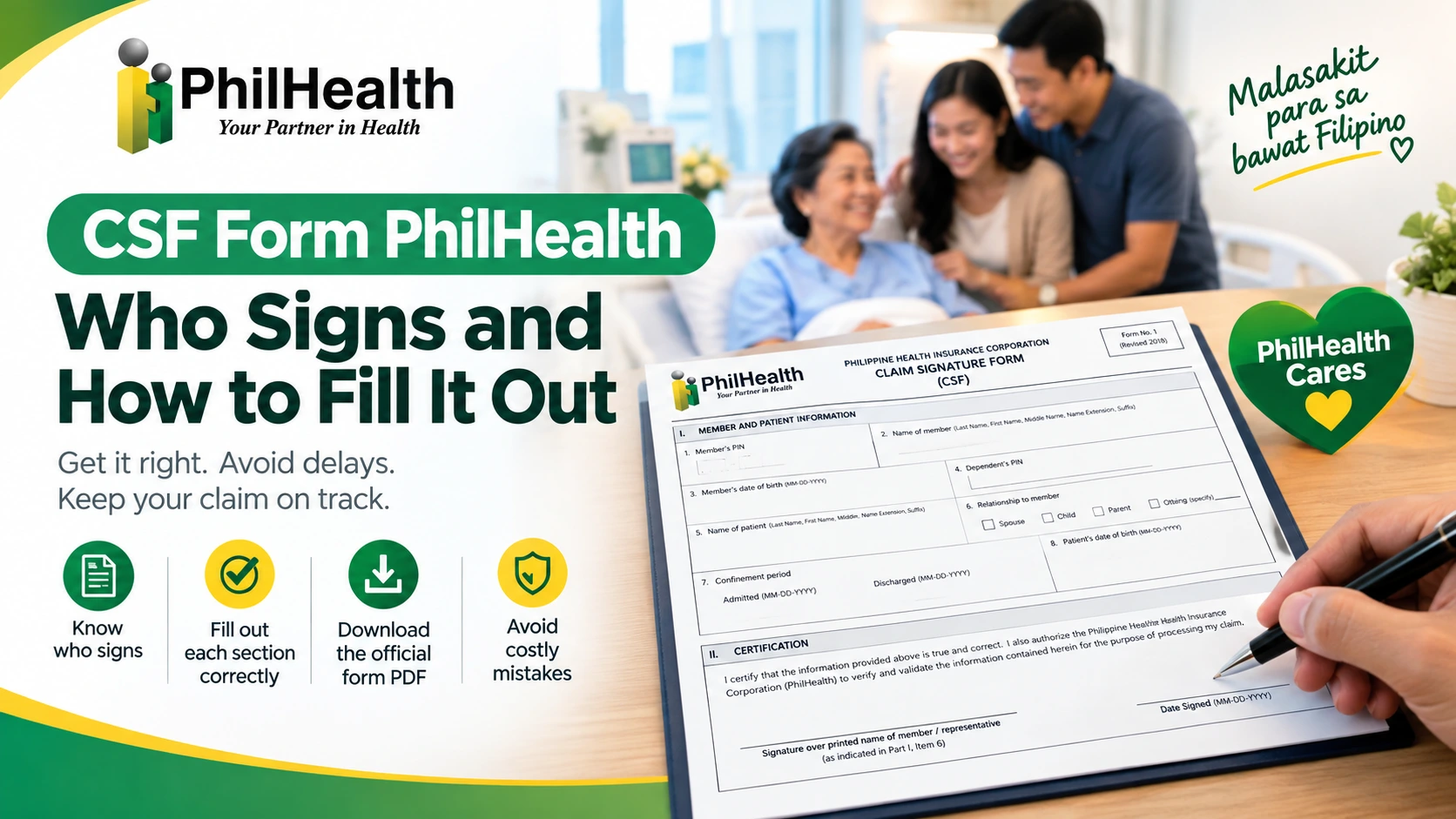
CSF stands for Claim Signature Form. It’s a PhilHealth form that carries the signatures and certifications for a hospital claim.
The CSF form does three jobs:
- It identifies people. It lists the member and the patient, how they’re related, and the dates of the hospital stay.
- It certifies the facts. The member states, under penalty of law, that the information is true and accurate.
- It gives consent. It allows PhilHealth to check the patient’s medical records to verify the claim.
What You See on the Form?
Term | What it means |
|---|---|
Member | The person enrolled in PhilHealth whose coverage is being used |
Patient | The person who was confined in the hospital (it can be the member or a dependent) |
Confinement period | The dates the patient was admitted and discharged |
HCI | Health care institution, meaning the hospital |
Health care professional | A doctor who gives their accreditation number and signs |
PEN | PhilHealth Employer Number, used in the employer’s part |
How to Fill Out the CSF Form Step by Step
Follow these steps in order. Each one is short.
Who Needs the CSF Form (and Who Doesn’t)
You need the CSF form if..
You don’t need it if..
When Do You Need a CSF Form?
When a hospital claim is filed for a confinement. The form asks for the date admitted and the date discharged, so it’s tied to a hospital stay.
Most of the time, the hospital’s PhilHealth desk handles the claim papers and asks the member to sign. You can also download the form from PhilHealth yourself.
The patient doesn’t have to be the member. The form has a relationship box for the patient. It can be the member’s child, parent, or spouse.
Four Common Situations
Situation | What usually happens | Why the CSF matters |
|---|---|---|
The discharged patient | The member is the patient and signs the form herself | Her signature certifies the claim information |
A child confined in the hospital | The parent who is the member signs, and the patient’s relationship box says “child” | The claim links the child to the member |
The OFW member | A relative may sign as the representative, with the relationship box checked | The member can’t sign in person |
The bedridden member | A representative signs and ticks the reason for signing | The member can’t sign because of illness |
The CSF Form Explained, Part by Part
Open the CSF form and you’ll see five parts. Don’t worry. You won’t fill out all of them. Here’s the big picture first.
Part | What it covers | Who fills it |
|---|---|---|
I | Member and patient information and certification | The member (or a representative) |
II | Employer’s certification | The employer (employed members only) |
III | Consent to access patient records | Member, patient, or representative |
IV | Health care professional information | The doctors |
V | Provider information and certification | The hospital |
Part I: Member and Patient Information
This is the part you’ll spend the most time on. It has nine items.
Item | What to write | Tip |
|---|---|---|
1. Member’s PIN | The member’s 12-digit PhilHealth number | Check it against the MDR or ID |
2. Name of member | Last name, first name, name extension (Jr./Sr./III), then middle name | Follow the order the form shows |
3. Member’s date of birth | The member’s birth date | Match the member’s records |
4. Dependent’s PIN | The patient’s PIN, if the patient is a dependent | Ask the hospital desk what to do if the patient is the member |
5. Name of patient | Same name order as item 2 | Spell it exactly as on records |
6. Relationship to member | Child, parent, or spouse | Tick only one |
7. Confinement period | Date admitted and date discharged | Copy from the hospital’s papers |
8. Patient’s date of birth | The patient’s birth date | Double-check the year |
9. Certification of member | Signature over printed name, plus the date signed | Read the statement first |
Part II: Employer’s Certification
This part is only for employed members. Your employer signs it.
Part III: Consent to Access Patient Records
This part allows PhilHealth to review the patient’s medical records to verify the claim. It also says PhilHealth and its staff are free from legal liability for doing so.
The member, the patient, or an authorized representative signs it. It has its own boxes for the relationship and the reason for signing.
Part IV: Health Care Professional Information
The doctors fill this in. Each one writes an accreditation number, signs, and dates it. There’s room for three doctors. PhilHealth’s 2020 advisory reminded attending physicians to sign this part during their daily rounds.
Part V: Provider Information and Certification
The hospital completes this part. It lists the benefit codes (ICD-10 or RVS code, with a first and second case rate). An authorized hospital representative certifies that the services were recorded in the patient’s chart.
Who Can Sign the CSF Form?
Remember the promise at the start? Up to five people can sign one CSF form. Here they are.
Part | Who signs | Who may sign instead |
|---|---|---|
I | The member | The member’s representative |
II | The employer | The employer’s authorized representative |
III | The member or patient | An authorized representative |
IV | The health care professional(s) | None listed |
V | The hospital | An authorized hospital representative |
When the Member Can’t Sign
The CSF form has a built-in answer. In Part I, the member’s representative can sign in a separate box. PhilHealth’s 2020 advisory backs this up. It says the next of kin or a duly authorized representative may sign the member and patient certification part on behalf of the patient.
Your representative must complete three things on the CSF form:
- Tick “Representative.”
- Check the relationship to the member: spouse, child, parent, sibling, or others (specify).
- Check the reason for signing. There are two choices: member is incapacitated, or other reasons, with a space to write the reason.
Important: The representative signs their own name in the representative’s box. Never sign the member’s name for them.
What If the Signer Can’t Write?
The form has a rule for this too. The signer puts their right thumbprint, and a hospital representative must assist.
Do You Need an Authorization Letter?
The CSF form itself doesn’t ask for a letter. It only asks for the relationship and the reason. But hospitals or PhilHealth may ask for proof that the representative is allowed to sign. A short written authorization is the safe move. (Confirm with the hospital desk.)
Authorization Letter Sample to Sign the CSF Form
[Date]
The PhilHealth Section / Billing Office
[Hospital Name]
[Hospital address]
Subject: Authorization to Sign the PhilHealth Claim Signature Form (CSF)
Dear Sir/Madam:
I, [Member’s Full Name], PhilHealth Identification Number (PIN) [XX-XXXXXXXXX-X], cannot sign the PhilHealth Claim Signature Form for [Patient’s Full Name], my [relationship], because [reason, for example: I work abroad / I am incapacitated].
I authorize my [relationship], [Representative’s Full Name], to sign the CSF form on my behalf as my representative. His/her details are:
Complete address: [Address]
Contact number: [Number]
Valid ID presented: [ID type and number]
Copies of my valid ID and my representative’s valid ID are attached.
Respectfully yours,
[Signature]
[Printed Name]
[Your Contact Number]
Conforme:
[Representative’s Signature over Printed Name] Date: [Date]
Read Also: PhilHealth Authorization Letter
CSF Form for Different Situations
The same CSF form works differently depending on who is sick, who is available, and where the hospital stay happened.
Situation | Who signs | Boxes to tick |
|---|---|---|
Member is the patient | The member signs Part I and Part III | Patient and member are the same person |
Patient is a dependent | The member signs Part I | Relationship: child, parent, or spouse |
Patient can’t sign Part III (very young or very ill) | The next of kin or an authorized representative | Tick “Representative,” the relationship, and the reason |
Member can’t sign (too ill) | The member’s representative | Reason: “Member is incapacitated” |
Member is abroad (hospital stay in the Philippines) | A relative as representative | Reason: “Other reasons,” and write why |
Maternity claim | Member or representative signs, as above | Same boxes as any claim |
Two Different “Abroad” Cases
Here’s something that confuses many readers. “Abroad” can mean two different things.
- The member is abroad, but the hospital stay is in the Philippines. This is a very common situation. A family member signs for the member. On the CSF form, use ” Other Reasons “ and write the reason.
- The hospital stay itself was abroad. This follows different filing rules. PhilHealth’s Claim Form 1 says claims for benefits abroad should be filed within 180 days from the date of discharge, instead of the usual 60 days.
Maternity Claims
For maternity claims, the CSF form works the same way. But there’s an extra form. PhilHealth’s claim reminders say a properly filled-out Claim Form 3 is required for Maternity Care Package claims. PhilHealth’s service handbook also lists Claim Form 3 for maternity as an electronic XML file for accredited hospitals. In plain words, the hospital usually handles that file. You focus on the CSF form.
If the mother is in labor or too weak to sign, ask the hospital which reason box fits.
Where to Download the Official CSF Form
The safest place is PhilHealth itself.
- Go to the PhilHealth downloads page (philhealth.gov.ph).
- Find the Claims section.
- Look for the Claim Signature Form (Revised September 2018). It’s listed first, right before Claim Forms 1 to 4.
- Download the CSF form PDF and print it.
Is It Free?
Yes, The form says it may be reproduced and is not for sale. If someone charges you for a copy, that’s a red flag.
Other Places to Get It
- The hospital’s PhilHealth desk. Hospitals usually hand out the form and help you fill it out. The form itself says a hospital representative shall assist the member or authorized representative in filling it out.
What Happens If the CSF Form Is Wrong
Remember the warnings at the top of the CSF form? They aren’t just decoration. Let’s look at what they mean.
Three Warnings From the Form
- Incomplete forms aren’t processed. The form says so directly.
- False or incorrect information is risky. The form warns of criminal, civil, or administrative liability.
- The certification is a sworn-style statement. The signer says the information is true “under the penalty of law.”
The Clock Is Ticking
Even a perfect CSF form can fail if it’s filed late. Here are the deadlines on PhilHealth’s forms.
Case | Filing deadline | Source |
|---|---|---|
Hospital stay in the Philippines | Within 60 days from the date of discharge | Claim Form 1 (September 2018) |
Hospital stay abroad | Within 180 days from the date of discharge | Claim Form 1 (September 2018) |
Claim returned for correction | Refile within 60 days from receiving the notice, or the claim is denied | Claim form reminders (older document) |
What Happens After You Sign?
In the hospital’s route, it looks like this:
- You sign the CSF form and complete your parts.
- The employer signs Part II, if you’re employed.
- The doctors and hospital complete Parts IV and V.
- The hospital files the claim documents with PhilHealth.
- PhilHealth reviews the claim.
- The benefit is applied. (In many hospitals, it’s deducted from the bill. Ask your hospital how it works.)
Common CSF Form Mistakes
Most CSF form problems come from small, avoidable errors. Here are the ten we see most often, based on what the form asks for.
Mistake | Why it’s a problem | The fix |
|---|---|---|
Signing the member’s name for them | The form has a separate box for the representative | The representative signs their own name |
Missing signature or date | Incomplete forms aren’t processed | Check every “date signed” box |
Wrong relationship box | The patient’s link to the member must be clear | Tick child, parent, or spouse for the patient. Tick the representative’s relationship separately |
Ticking “incapacitated” for a healthy member | It may raise questions | Use “other reasons” and explain |
Wrong PIN or name order | PhilHealth can’t match the record | Copy from the MDR, and use last name first |
Skipping the employer’s part | Employed members need Part II | Ask HR early |
Writing in Parts IV and V | Those belong to the doctors and hospital | Leave them blank |
Dates that don’t match hospital papers | The confinement period must match | Copy the dates from the hospital’s records |
No thumbmark when the signer can’t write | The form requires a right thumbmark and hospital help | Use the thumbmark with a hospital representative present |
Using an old or unofficial copy | Outdated forms may not be accepted | Download from philhealth.gov.ph |
CSF Form vs. Other Claim Forms
The CSF isn’t the only claim form. PhilHealth’s downloads page lists several. Here’s how they differ.
Form | What it’s about |
|---|---|
Claim Signature Form (CSF) | Member and patient information, certifications, consent, and signatures |
Claim Form 1 | Member and patient information |
Claim Form 2 | Provider information |
Claim Form 3 | Patient’s clinical record |
Claim Form 4 | Clinical summary |
FAQs
What does CSF stand for in PhilHealth?
CSF stands for Claim Signature Form. It’s the PhilHealth form that carries the signatures and certifications for a hospital claim. People also call it the CSF form or the claim signature form PhilHealth uses.
Is the CSF form the same as Claim Form 1?
Not exactly, and PhilHealth doesn’t fully explain the difference. Both are listed on its downloads page. PhilHealth’s service handbook pairs “Claim Signature Form (CSF)/Claim Form 1 (CF1)” for claims filed by accredited hospitals, and Claim Form 1 with Claim Form 2 for members filing directly. Ask your hospital’s PhilHealth desk which one your claim needs.
Who has to sign the CSF form?
Up to five people can sign: the member (or the member’s representative), the employer (employed members only), the patient or authorized representative for the consent, the health care professional(s), and a hospital representative. You usually handle Parts I and III.
Can someone sign the CSF form for me?
Yes, PhilHealth’s 2020 advisory says the next of kin or a duly authorized representative may sign the member and patient certification part on behalf of the patient. The representative ticks “Representative,” checks their relationship and the reason for signing, and signs their own name.
Do I need an authorization letter to sign for the member?
The CSF form itself doesn’t ask for a letter. But the hospital or PhilHealth may ask for proof that the representative is allowed to sign. A short written authorization is the safe move. Confirm with the hospital desk.
What if the patient or member can’t write?
Use the right thumbmark. The form says a hospital representative should assist the signer.
Does my employer have to sign the CSF form?
Only if you’re an employed member. Part II is the employer’s certification, and the form says it’s for employed members only. Self-paying members skip it.
Who signs Part IV and Part V?
The doctors sign Part IV and write their accreditation numbers. The hospital completes Part V, including the benefit codes. Leave both parts blank when you fill out your own sections.
What happens if the CSF form is incomplete?
The form warns that claim forms with incomplete information won’t be processed. It also warns that false or incorrect information can lead to criminal, civil, or administrative liability. A claim returned for correction should be refiled promptly.
What does signing the CSF form authorize?
It does two things. The signer certifies, under penalty of law, that the information is true and accurate. The consent part allows PhilHealth to examine the patient’s medical records to verify the claim.