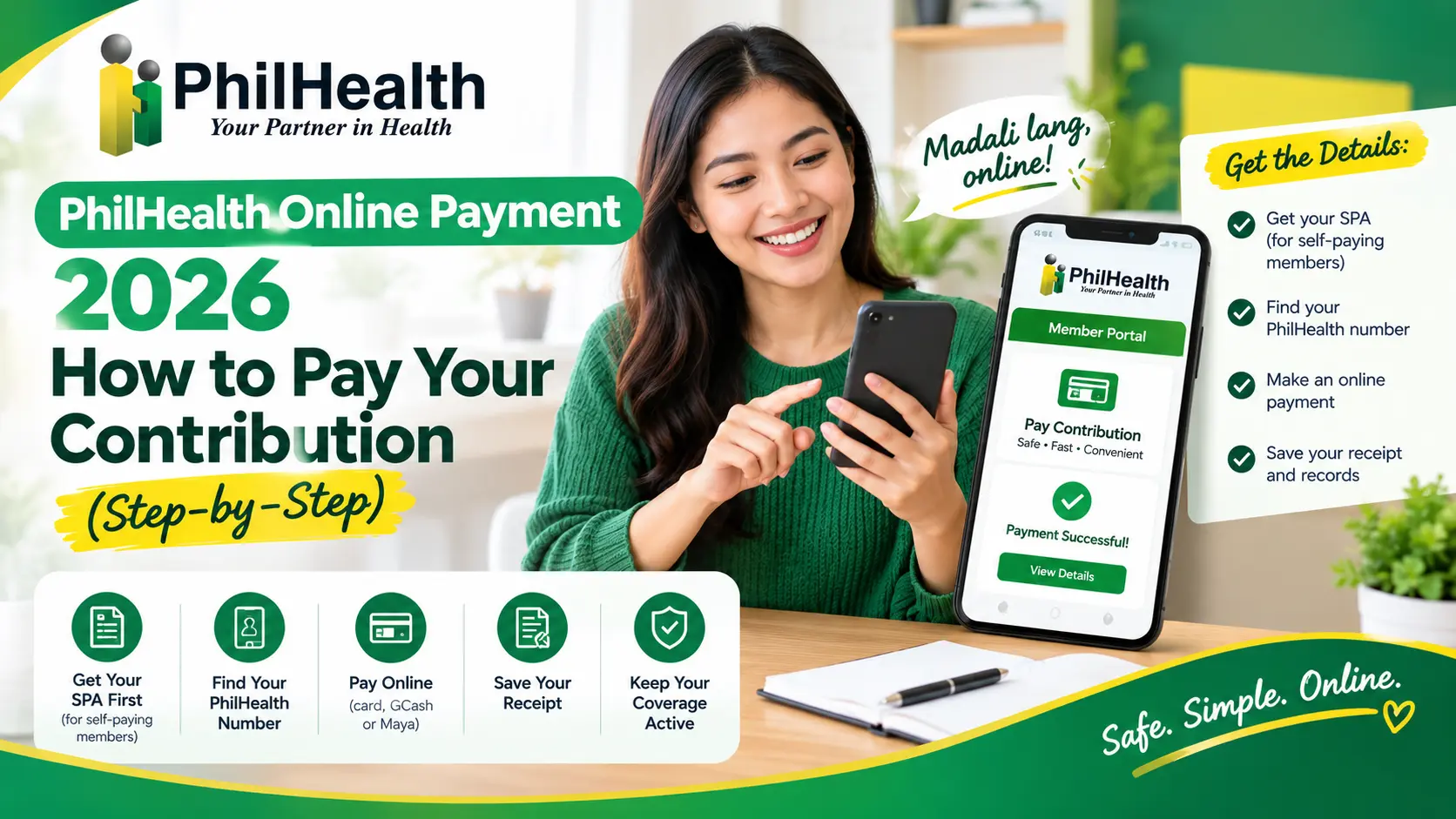
PhilHealth Online Payment 2026: How to Pay Your Contribution (Step-by-Step)
You are lying in a hospital bed. Your family hands the billing officer your PhilHealth details. The officer checks the system. Then comes the line no one wants to hear: “Sorry, your contributions are not posted.”
An online PhilHealth payment can fix that. You can do it from your phone in minutes. But the rules changed in 2026. Since April 1, self-paying members must get a Statement of Premium Account (SPA) before paying. Pay without one, and your payment will not be processed.
This guide shows you how to make a PhilHealth online payment the right way. You will also learn how to find your PhilHealth number online. Here is the surprise: your SPA may already be waiting in your email or phone. Keep reading to see where.
Quick Answer
Question | Quick Answer |
|---|---|
Can I make a PhilHealth online payment? | Yes, use the Member Portal or an accredited collecting agent |
What is the first step? | Get your SPA. Self-paying members must have one since April 1, 2026 |
How much is the 2026 rate? | 5% of monthly income. The minimum is ₱500 and the maximum is ₱5,000 |
Where can I pay? | The Member Portal (card, GCash, or Maya) or a collecting agent with your SPA |
How long does a PhilHealth online payment take to post? | Usually a few days. Check your portal to confirm |
What should I save after a PhilHealth online payment? | Your SPA, your receipt, and a screenshot of your contribution history |
The Two Golden Rules
Before any PhilHealth online payment, you need two things:
What Is PhilHealth Payment, and Who Pays?
PhilHealth payment means paying your monthly premium. That is the contribution that keeps your coverage active. It also keeps your benefits ready for hospital bills.
PhilHealth online payment in 2026, the rate is 5% of your monthly income. If a freelancer earns ₱25,000 a month, the premium is ₱1,250. If you earn less than ₱10,000, you pay the ₱500 minimum. If you earn ₱100,000 or more, you pay the ₱5,000 maximum.
But not everyone pays the same way. Check your group below.
Member Type | Who Pays | Do You Need an SPA for a PhilHealth Online Payment? |
|---|---|---|
Employed in a private company or government office | Your employer deducts and remits it | No, your employer handles it |
Self-earning individuals and professional practitioners | You | Yes, since April 1, 2026 |
Overseas Filipinos (except sea-based migrant workers) | You | Yes, since April 1, 2026 |
Sponsored members, such as those covered by government programs | The program or sponsor | Usually nothing to pay. Ask your local office |
Find Your PhilHealth Number Online
You cannot make a PhilHealth online payment without your PIN. So let’s start there.
Your PIN is a 12-digit number. It is unique to you. It is also permanent. PhilHealth’s own registration form says it must be used in all your PhilHealth transactions. Lost your card? Forgot the number? You do not need a new one. You just need to find the old one.
PIN vs PhilHealth ID
Many people mix these up before a PhilHealth online payment. Here is the quick difference.
Your Questions | PhilHealth Number (PIN) | PhilHealth ID Card |
|---|---|---|
What it is | Your 12-digit membership number | A card that shows your number |
Do you need it for a PhilHealth online payment? | Yes | No |
Can you get it online? | Yes, through online registration | No. One guide says PhilHealth does not issue physical IDs online |
If you lose it | Find it. Do not register again | Ask your office about a replacement |
Ways to Find It Before Your PhilHealth Online Payment
Your number may be closer than you think. Start with the easy options.
Ways to Find It | What You Need | Good to Know |
|---|---|---|
Check your papers | Your PhilHealth ID card, Member Data Record (MDR), old payslip, or an official receipt | The fastest option if you have one nearby |
eGovPH app | The app, plus a verified account | Several guides call this the quickest digital route |
Text PHICallback | Text “PHICallback [space] your mobile number [space] your concern” to a PhilHealth mobile hotline | PhilHealth calls you back. Callbacks run 8 am to 8 pm daily |
Call the hotline | Your full name, birth date, and a valid ID ready | The Action Center is (02) 8662-2588, open 24/7 |
Email PhilHealth | Your full name, birth date, and a copy of your valid ID | actioncenter@philhealth.gov.ph |
Visit an office | A valid ID | Any local PhilHealth office can verify your record |
Pro Tip: Do not rely on “Forgot Password” to find your PIN. The password reset page asks for your PIN first.
Get a PIN Before Your PhilHealth Online Payment
You can apply online. Here is what PhilHealth’s own page says.
Create Your Member Portal Account
You have your PIN. Next, create your account. It is free, and it opens the door to your SPA and every PhilHealth online payment record.
Field | What to Enter |
|---|---|
PIN | Your 12-digit number |
Name | Last name and first name. Tick the mononym box if you have only one name |
Date of birth and sex | As shown in your records |
Email and mobile number | One you use every day. Your SPA may be sent here |
Your password must pass all five checks:
How Much You Pay for a PhilHealth Online Payment
Good news. The math for your PhilHealth online payment is simple. PhilHealth set the 2026 rate at 5% of your monthly income. There are limits on both ends.
Item | 2026 Amount |
|---|---|
Rate | 5% of monthly income |
Income floor | ₱10,000, which gives a premium of ₱500 |
Income ceiling | ₱100,000, which gives a premium of ₱5,000 |
Get Your SPA First Before Any Online Payment
What Is an SPA, and Who Needs One?
SPA stands for Statement of Premium Account. Think of it as the invoice for your PhilHealth online payment. It shows your name, your PIN, the months you are paying for, and the exact amount.
Since April 1, 2026, self-paying members must present an SPA before any PhilHealth online payment. That covers self-earning individuals, professional practitioners, and overseas Filipinos, except sea-based migrant workers. Employees do not need to get one.
Four Ways to Get Your SPA for a PhilHealth Online Payment
You may not even need to ask. PhilHealth now creates the SPA for your PhilHealth online payment.
Way | How It Works |
|---|---|
Wait for it | PhilHealth generates SPAs automatically and sends your SPA, or a notice of it, to your registered mobile number or email. Check your spam folder too |
Member Portal | Log in and download your SPA |
SPA Generator | Use the SPA Generator at spagen.philhealth.gov.ph. Save the QR code or screenshot |
A PhilHealth office or collecting agent | Scan or show the QR code displayed there |
How to Make a PhilHealth Online Payment?
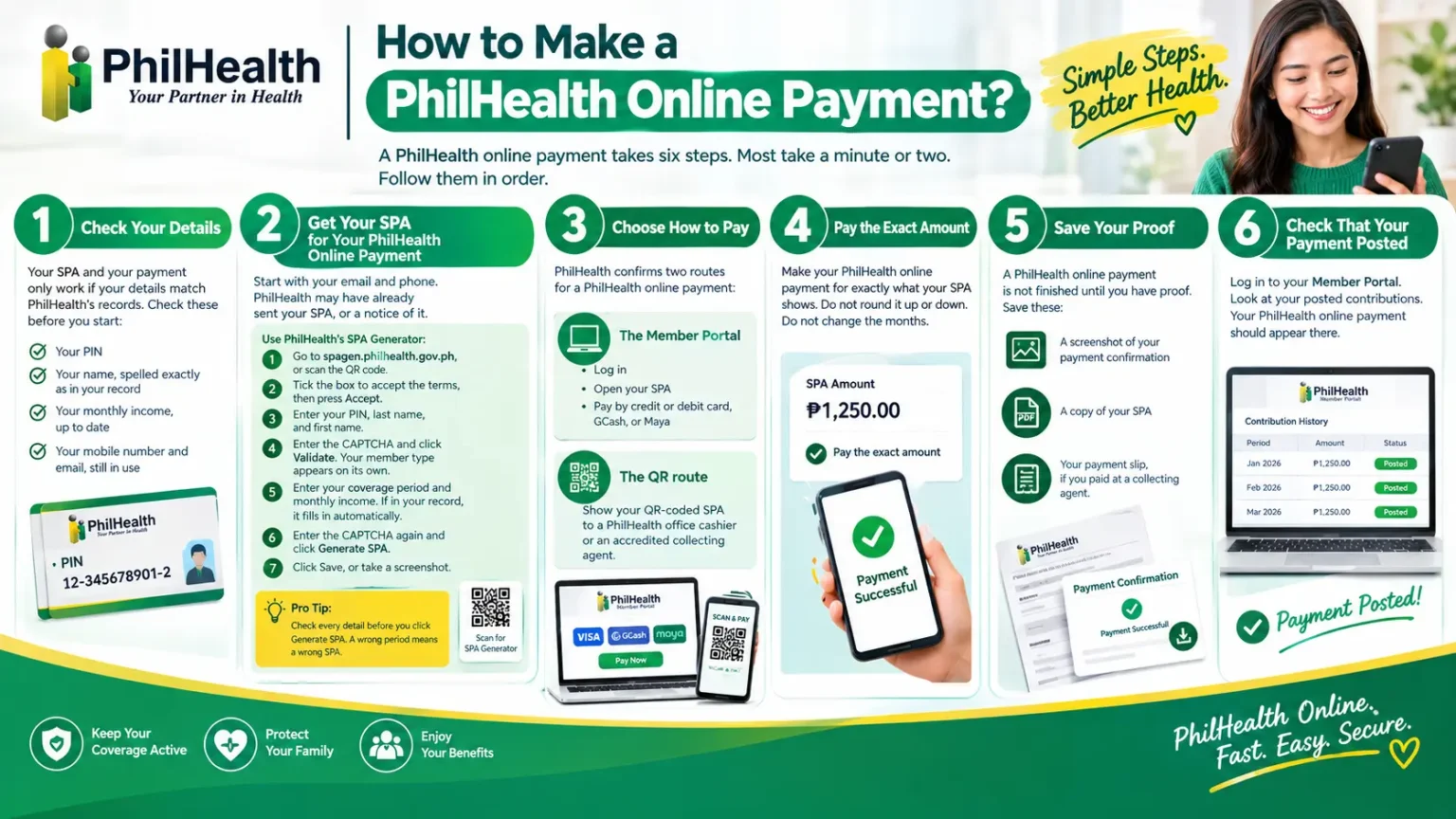
A PhilHealth online payment takes six steps. Most take a minute or two. Follow them in order.
Step 1: Check Your Details
Your SPA and your PhilHealth online payment only work if your details match PhilHealth’s records. PhilHealth’s own instructions say your PIN, last name, and first name must match your registered information exactly. Check these before you start:
Step 2: Get Your SPA for Your PhilHealth Online Payment
Start with your email and phone. PhilHealth may have already sent your SPA, or a notice of it.
Use PhilHealth’s SPA Generator:
Pro Tip: Check every detail before you click Generate SPA. A wrong period means a wrong SPA.
Step 3: Choose How to Pay
PhilHealth confirms two routes for a PhilHealth online payment:
Step 4: Pay the Exact Amount
Make your PhilHealth online payment for exactly what your SPA shows. Do not round it up or down. Do not change the months.
Step 5: Save Your Proof
A PhilHealth online payment is not finished until you have proof. Save these:
Step 6: Check That Your PhilHealth Online Payment Posted
Log in to your Member Portal. Look at your posted contributions. Your PhilHealth online payment should appear there.
After You Pay: Pay and Verify
A PhilHealth online payment is half the job. Verifying is the other half. PhilHealth says a validated SPA is meant to reduce posting errors and credit payments faster. But it only works if you check.
Here is a simple habit for every PhilHealth online payment. Pay. Save. Verify.
Your Proof Checklist
When to Check Your PhilHealth Online Payment
When | What to Do |
|---|---|
The day you pay | Save your proof |
A few days later | Log in and look at your posted contributions |
About a week later | Still missing? Contact PhilHealth with your proof |
What If Your PhilHealth Online Payment Did Not Post?
Problem | What to Do |
|---|---|
Not posted after a few days | Check again. Compare the coverage period on your SPA with what you paid |
Still missing after about a week | Call the Action Center at (02) 8662-2588 or email actioncenter@philhealth.gov.ph. Send your PIN, SPA, and proof of payment |
You paid the wrong amount or month | Contact PhilHealth before you pay again. This avoids a double payment |
You paid through a site you do not trust | Stop. Keep your proof and contact PhilHealth right away |
7 Mistakes That Delay or Waste Online Payment
Most problems with a PhilHealth online payment are small. They are also easy to avoid. Here are the seven that cause the most trouble.
Mistake | Why It Causes Trouble | Fix for Your PhilHealth Online Payment |
|---|---|---|
1. Paying without an SPA | PhilHealth processes payments for self-paying members only with an SPA | Get your SPA first |
2. Wrong PIN or name | Your SPA must match your PhilHealth record exactly | Copy your name and PIN as registered |
3. Wrong coverage period | The SPA lists the months. A mismatch can leave a gap | Check the period before you generate your SPA |
4. Old income details | The SPA uses the income you declare, so the amount may be wrong | Update your income first |
5. Paying through an unofficial site or agent | PhilHealth says transactions on unauthorized sites are not acknowledged | Use official channels and accredited agents only |
6. No proof saved | You cannot show a payment if it does not post | Save your receipt, SPA, and payment slip |
7. Paying twice for one PhilHealth online payment | Some people repay before checking whether the first payment posted | Check your portal, then contact PhilHealth before you repay |
Your Safe Starting Points for a PhilHealth Online Payment
For any PhilHealth online payment, begin only at these places:
Your PhilHealth Online Payment Action Plan
Print this list or save it on your phone before every PhilHealth online payment. Tick each box in order.
Before you pay
When you pay
After you pay
The last box is a habit for every PhilHealth online payment. Pick the same date each month. Pay a few days before it. Then verify.
FAQs
Can I make a PhilHealth online payment without an SPA?
Not if you are a self-paying member. Since April 1, 2026, PhilHealth processes payments only with an SPA. Employees don’t need one because their employer remits their contributions.
Where do I get my SPA for a PhilHealth online payment?
PhilHealth now generates it automatically and sends it, or a notice of it, to your registered mobile number or email. You can also get it from the Member Portal, the SPA Generator at spagen.philhealth.gov.ph, or a QR code at PhilHealth offices and collecting agents.
How do I find my PhilHealth number online?
Check your ID card, Member Data Record, old payslip, or an official receipt. You can also use the eGovPH app, text PHICallback, call the Action Center at (02) 8662-2588, or visit a PhilHealth office with a valid ID. Do not register again.
How long does online registration take?
PhilHealth says complete applications are processed within three to five working days. Your PIN is sent to your email.
Can I make a PhilHealth online payment with GCash or Maya?
Yes, PhilHealth says the Member Portal accepts credit or debit cards, GCash, and Maya. Start with your SPA.
Does an employed member need an SPA for a PhilHealth online payment?
The “No SPA, No Payment” rule covers self-paying members. If you are employed, your employer remits your contribution. Check your payslip and your portal.
How much is a PhilHealth online payment in 2026?
The 2026 rate is 5% of monthly income. The minimum premium is ₱500 and the maximum is ₱5,000.
Can a family member make a PhilHealth online payment for me while I am abroad?
Share your SPA only with someone you trust, and pay through accredited collecting agents. If they need to deal with a PhilHealth office for you, they may need an authorization letter.
Can I make a PhilHealth online payment through a collecting agent?
Yes, Show your QR-coded SPA to an accredited collecting agent or a PhilHealth office cashier. Keep your payment slip as proof.
Can I use one email for two PhilHealth registrations?
No, PhilHealth’s online registration allows each email address to be used only once, and each person can submit only one application.